
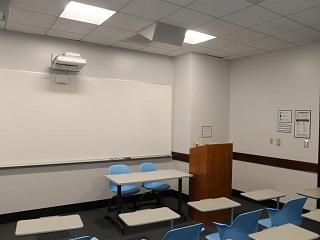
| Capacity: | 24 |
|---|---|
| Video Projection: | Yes |
| Source Options: | HDMI Input, VGA Input |
| Sound System: | Media Only |
| Live Stream Capability: | Camera Connection Only |
| BruinCast Recording: | None |
| Wi-Fi: | Yes |
| Furniture: | Movable |
Video Projection
- A projector is installed in the room for displaying presentations, video, and other content.
- To find the laptop or device connections available in this classroom, see “Source Options” in the information table above.
- If your device does not support any of these connections, please bring a compatible adapter.
Internet Access
- The room is designed for Wireless Network Access for all students and faculty.
Sound System
- The HDMI cable is available to connect media devices (laptops, portable devices, media players, etc.) for media sound.
- There is no voice amplification system available in this room.