

Zoom Softphone
Computer & mobile app.
Getting Started
- Softphone: Day 1 Checklist
- How to Set Your Default Emergency Address
- Getting started with Zoom Phone (users)
- How to Download the Zoom Mobile App (iOS)
- How to Download the Zoom Mobile App (Android)
- How to Sign In to Zoom Phone and Customize the Phone Menu on a Mobile Device (iPhone/Android)
Calls & Contacts
- How to Manage Zoom Phone Calls
- How to Manage Zoom Phone Call Handling Settings for Softphones
- How to Forward Zoom Phone to Another Number (Call Forwarding)
- How to Manage Zoom Phone Call History
- How to Add Contacts in the Zoom Workplace Desktop and Mobile Apps
Settings & Personalization
- How to Access Zoom Web Portal Phone Settings
- How to Manage Zoom Workplace App Phone Settings
- How to Manage and Troubleshoot Zoom Audio Settings
- How to Select a Zoom Phone Ringtone
Voicemail & Recordings
- How to Manage Zoom Phone Voicemail Settings
- Customizing Voicemail Audio Greetings and Hold Music
- How to Manage Zoom Phone Recordings
Shared Lines & Call Queues
- How to Enable or Disable Shared Calls in Zoom Phone
- Customizing Call Handling Settings (Holiday Hours, Call Forwarding, etc.)
- How to Manage Your Shared Line Group (SLG) or Call Queue (CQ) for Admins
Text Messaging (Campus Only)
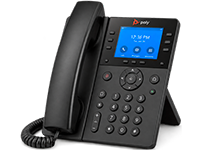
Physical Phone
Poly Edge & Cisco 8800 Series desk phones.
Getting Started
- Physical Phone: Day 1 Checklist
- Getting Started with Your Physical Phone
- Poly Edge E Series Phone Quick Tips Guide
- Cisco IP Phone 8800 Series Quick Reference Card
Call Handling
Voicemail
- Accessing a User Line Voicemail on a Physical Phone
- Accessing a Shared Line Voicemail on a Physical Phone